Are Video Doorbells Safe to Use at Home?
They’re safe if you treat them like microphones with cameras—here’s what most buyers miss. Video doorbells are generally safe at home when you control what they record, who can view clips, and how long footage is stored. The biggest risk is privacy exposure, not physical danger. Poor settings can leave you with unwanted audio capture, shared-entry surveillance, or account access you did not intend. This guide explains recording scope, storage, setup choices, and the security settings that reduce exposure. Updated for 2025–2026 pricing and availability context: some models and subscriptions mentioned below may change by region, retailer, or platform policy, so confirm current app features and plan terms before you buy.
This guide is part of our Video doorbells: how to choose the right one series.
For readers comparing models, see our best video doorbells roundup, the Ring vs Eufy comparison, our smart doorbell install guide, and practical apartment security tips for shared hallways and rental buildings.
Where you point the camera matters for privacy
Yes, for most homes they are safe in the practical sense, but only if you treat them as recording devices with access controls, not simple peepholes. The main question is whether the camera faces only your entry area, who can open the app, and whether clips stay on the device or move to a cloud account.
What “safe” means here
Safety here means privacy, access, and retention. A doorbell can be physically secure and still expose recordings to more people than you intended, especially if family members, roommates, installers, or a subscription account can view clips from anywhere. That is why buyers should think about doorbell privacy the same way they think about home network security: the hardware is only part of the risk.
In a detached house with a private front path, safety mostly comes down to the camera angle and account hygiene. In a condo or apartment, the same device can create a record of hallway activity that was never meant to be public or saved long term.
Why the answer depends on where the doorbell faces
The same camera can be low-risk on a detached front door and higher-risk on an apartment entry, condo hallway, or shared porch. If it points toward a common area, it may capture passersby, neighbors, delivery workers, or speech outside your own door.
Picture a front door that opens to a private stoop. Motion can stay inside a narrow zone, and clips are easier to limit to visitors. Now suppose the same camera faces a shared corridor with six unit doors. The privacy issue changes immediately because bystander recording becomes routine, not occasional. That is also why a smart doorbell install guide should start with property lines and sightlines, not app setup.
What video doorbells record
Video doorbells record video and audio, then use motion alerts and app control to show events after they happen or in real time. That is useful for visitors and package theft, but it also means the device can capture speech, background noise, and activity beyond the person standing at the door.
Video, audio, motion alerts, and two-way talk
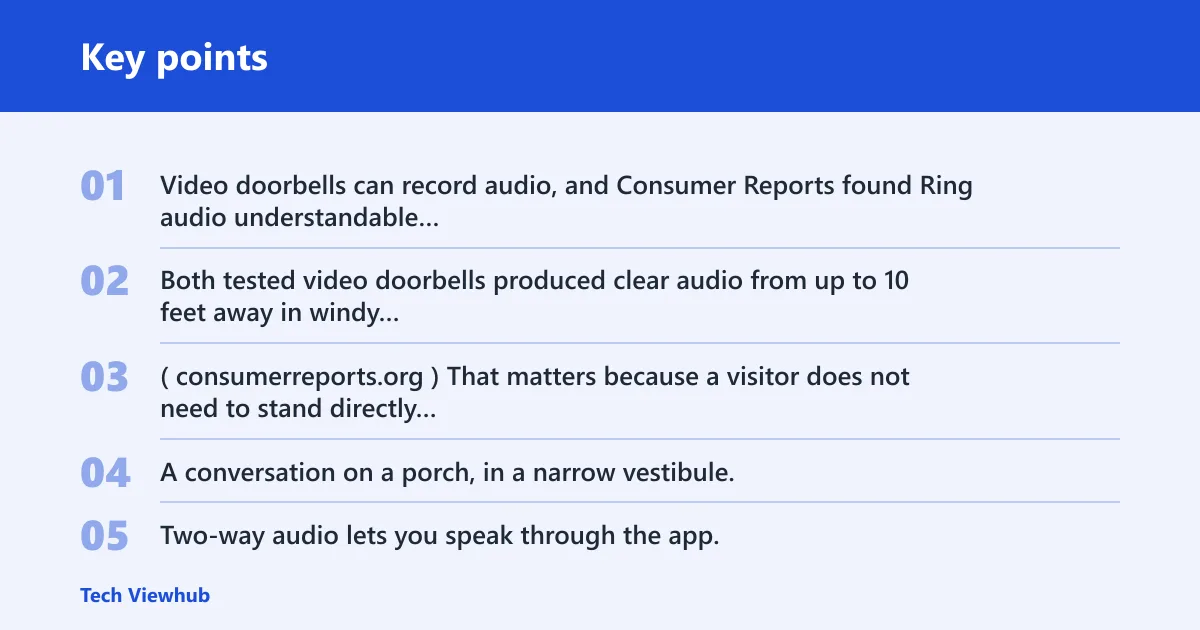
Video doorbells can record audio, and Consumer Reports found Ring audio understandable from up to 18 feet away in lab testing, while the Ring doorbell tested there produced clear audio up to 20 feet away when calm. Both tested video doorbells produced clear audio from up to 10 feet away in windy conditions. (Consumerreports)
That matters because a visitor does not need to stand directly in front of the lens for sound to carry. A conversation on a porch, in a narrow vestibule, or beside a shared mailbox can be captured even when the camera is mounted at the front door.
How nearby conversations can get captured
Two-way audio lets you speak through the app, but it can also pick up nearby speech before or after you press talk. In a shared entry, that may include neighbors talking in the hall, a courier speaking to someone nearby, or a guest answering a question from just outside the frame.
Say your apartment door opens onto a common hallway and the doorbell is set to record motion and sound. A short clip may capture not only the person at your door but also a neighbor leaving their unit. That is a privacy issue, even if no one is trying to misuse the footage. In a real estate dispute, even a short clip can become relevant if it documents repeated entry times, package placement, or who was present near the doorway.
What night vision and app access add to the risk picture
Night vision extends recording into evening hours, which is useful for security but also increases the span of time covered by the camera. App access is the other major risk factor: if too many people share the account, then more people can review clips, save them, or forward them without much friction.
The hardware matters less than the controls around it. Ring Video Doorbell Pro 2 captures video at 1536p HD widescreen, includes full-color night vision, video pre-roll, Birds-Eye View, and motion detection up to 30 feet, with Alexa compatibility. Those features help with awareness, but they do not limit exposure by themselves.
Do video doorbells record conversations?
Yes, they can record conversations outside your house, especially when two-way audio is enabled or nearby speech falls within the microphone’s pickup range. The risk rises in front yards, porches, apartment doors, and shared hallways where people talk close to the entry without realizing a camera is listening.
Two-way audio and accidental speech capture
Two-way audio is convenient, but it also creates a live microphone at the door. If someone is speaking to a visitor while the app is open, the device can capture more than the direct exchange. This is one reason audio settings matter as much as video quality.
Shared entries, porches, and hallway noise
Shared entries are the hardest case. A video doorbell near a condo hallway or apartment vestibule may record voices from people who are not visiting you at all. If the building has thin walls, a nearby camera can also catch speech from adjacent units when doors open and close.
Arlo Essential Doorbell has a 180-degree field of view, 1536 x 1536 resolution, people/package/vehicle/animal detection, video calls to a phone, and an anti-theft siren. Those features are helpful for identification, but the wide view also means you should be careful about what sits inside the frame.
Video doorbell safety table
This checklist shows the main privacy trade-offs by setup. The goal is not perfect privacy, which is unrealistic for a camera at the door. The goal is to reduce unnecessary recording, limit account exposure, and choose storage that matches your tolerance for cloud dependence. Cloud subscription pricing can also surprise buyers: a low upfront price often becomes less attractive once plan costs are added, especially if you want clip history, longer retention, or person detection.
| Scenario | Recording risk | Recommended setting | Storage choice | Wi-Fi dependence | Shared-entry risk | Tamper/privacy mitigations |
|---|---|---|---|---|---|---|
| Wired home setup | Higher uptime means more continuous event capture | Use tight motion zones, disable extra audio prompts, limit shared users | Local storage if available; otherwise short cloud retention | High dependence for alerts and clip access | Moderate if the door opens to a private porch | Place the camera so it frames the threshold, not the street; check screw security and app permissions monthly |
| Battery home setup | More gaps if the battery is removed, drained, or ignored | Lower motion sensitivity and use a smaller activity zone | Onboard or local storage when available; cloud if you want remote review | Still needs Wi-Fi for cloud alerts and clips | Moderate on porches, lower on detached entries | Set battery reminders, use tamper alerts, and keep the mounting height focused on your doorway |
| Apartment and shared-entry setup | Higher bystander recording risk | Restrict zones to your own door; mute nonessential audio prompts | Local storage is safer when available; keep retention short either way | High dependence for remote access | High in hallways, vestibules, and common corridors | Confirm lease or building rules, avoid pointing at neighboring doors, and disable broad motion areas |
| House setup | Lower if the entry faces only your walkway | Use package-only alerts where offered and trim motion range | Local storage reduces cloud exposure; cloud remains useful for offsite backup | Moderate to high, depending on alerts and viewing habits | Low on a private front path, higher on shared driveways | Review account access, change default passwords, and angle the lens away from neighbor property |
Local storage vs cloud storage
Local storage can reduce exposure because clips stay on the device or a local card instead of living in a cloud account. That does not make the system private by default, but it does reduce the number of places where footage can be copied, viewed, or retained beyond your control. It also helps if you want a simpler privacy stance without paying for recurring clip storage.
Why local storage can reduce exposure
Local storage means microSD or onboard storage, depending on the model. Eufy Security Video Doorbell S220 includes 4GB of internal storage, can store 30 days’ worth of encrypted video clips, and does not require a subscription. That setup reduces cloud dependence and can suit buyers who want fewer ongoing services.
For buyers comparing best video doorbells, local storage is often the easiest way to keep footage closer to home without turning the doorbell into a cloud account that needs ongoing management.
What you give up with no subscription
No subscription often means more manual review. You may have to check clips yourself, manage capacity, and accept that retention is limited by the device. If storage fills up, older clips can be overwritten unless you export them first.
Ring Video Doorbell Wired is a hardwired, affordable 1080p-class option that works with Alexa, but it requires a subscription for video saving and does not use the existing chime. That trade-off can be fine if you want a simple wired setup, but it is not the privacy-first route. If you are weighing ecosystems, the Ring vs Eufy comparison is the fastest way to see how subscription dependence changes long-term cost.
When cloud storage is still useful
Cloud storage is useful when you want offsite backup, easier sharing, or faster access from multiple devices. It can also help if the camera is stolen, because clips may already have been uploaded before the device is removed.
The drawback is that cloud dependence adds another account to secure. If your priority is control, focus on retention length, account protection, and whether other household members actually need full viewing access. One practical failure case: a neighbor dispute or package loss claim can become a clip-sharing problem when too many people in the home can export footage without a clear rule for who is allowed to send it out.
Can you use one without Wi-Fi?
Partly, but not in the way most buyers expect. A doorbell without Wi-Fi may still ring, power on, or store clips locally, depending on the model, but live alerts, remote viewing, cloud backups, and app-based conversation usually stop working or become unreliable when the connection drops.
What still works offline
Some devices can still record to local storage or trigger a chime if wired that way. Battery models may continue to sense motion locally, but you lose the app experience that makes the device useful for remote checks and quick review.
What breaks when the connection drops
Without Wi-Fi, you usually lose timely alerts, live view, and cloud uploads. That means you may not know a delivery happened until later, and you may not be able to confirm whether a clip was saved. Weak Wi-Fi can also delay notifications and make the device feel less dependable than it looks on paper.
Google Nest Doorbell (battery) is a wireless option with night vision, a built-in mic, HD resolution, and it fits best in the Google Home ecosystem. The wireless design helps in rentals and retrofit installs, but it still relies on network access for the features most people buy it for. If you live in a rental, our apartment security tips page covers the hallway, lease, and shared-entry details that matter before you mount anything.
Which setup is safer: wired or battery?
Neither is always safer. Wired models usually offer steadier uptime, while battery models can be easier to place and sometimes simpler to remove for charging or privacy pauses. The better choice depends on power stability, installation tolerance, and how much tamper exposure you want at the door.
Power, uptime, and tamper exposure
Wired cameras tend to stay online more reliably, which can be better for consistent monitoring and fewer blind spots. Battery models can be taken down for charging, which creates gaps but may also let you remove the device quickly if you want a temporary privacy reset.
When wired models fit better
Choose wired if you want continuous power and a more permanent install. A hardwired unit is harder to forget and less likely to go offline because someone missed a charge cycle. That can matter at a front door that sees frequent traffic. For installation details, see the smart doorbell install guide.
When battery models make more sense
Choose battery if you rent, cannot use existing wiring, or want an easier install with less wall work. Battery models are also common where a building limits electrical changes. The trade-off is more upkeep and a little more exposure to removal or theft if the mount is easy to reach.
Wyze offers both wired and battery-powered video doorbell options, and says its doorbells provide 2K resolution and two-way audio. Those specs may suit buyers who want flexible power choices, but the same privacy questions still apply: audio capture, storage location, and who can see the app.
Settings that improve privacy
The safest setup usually comes from settings, not from one specific brand. Tight motion zones, muted audio choices, account limits, and careful placement can cut down unnecessary recording while keeping the doorbell useful for visitors and package alerts. In a shared-building case, these settings are often the difference between a helpful security tool and a camera that records your neighbors by accident.
Motion zones and activity ranges
Trim the active area so the camera watches your threshold, not the sidewalk or a neighbor’s door. If the app allows package zones or activity ranges, use them instead of broad coverage. Ring Video Doorbell Pro 2 can detect motion up to 30 feet, so zone control matters if the door opens toward a long walkway.
Audio controls and alert settings
Turn off any audio feature you do not need. Reduce or mute alerts that create unnecessary noise, especially in apartment buildings where repeated chimes can bother other residents. If the app lets you review before saving, use that option sparingly and intentionally.
Account access, retention, and app permissions
Review who can log in, which devices are signed in, and whether shared users really need full clip access. Shorter retention reduces the amount of footage stored, and local storage can limit offsite exposure. If the platform allows, set stronger authentication and remove old household accounts.
Doorbell placement and tamper checks
Mount the camera so it watches the door, not the hall or street beyond what you need. Check screws, brackets, and battery access points after install. If a model includes a siren or tamper alert, keep it enabled where appropriate, especially on reachable porches or ground-floor entries.
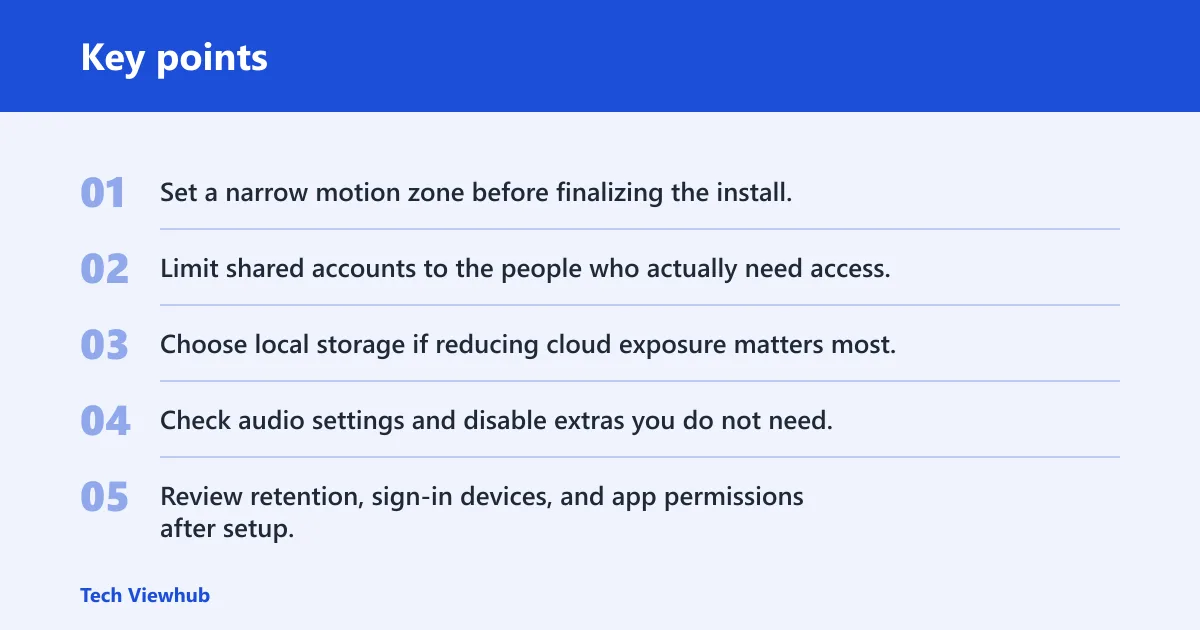
- Set a narrow motion zone before finalizing the install.
- Limit shared accounts to the people who actually need access.
- Choose local storage if reducing cloud exposure matters most.
- Check audio settings and disable extras you do not need.
- Review retention, sign-in devices, and app permissions after setup.
- Recheck the mount after a few days to confirm the view still stays inside your property line.
Frequently asked questions
Which video doorbell has local storage instead of cloud storage?
Eufy Security Video Doorbell S220 is the clearest local-storage option in this group. It includes 4GB of internal storage, can keep 30 days’ worth of encrypted clips, and does not require a subscription. That makes it a strong fit if you want fewer cloud dependencies and less ongoing account exposure.
Do video doorbells need a subscription to be useful?
No, but some become much more limited without one. Subscription-free models can still be useful for live alerts, local recording, or basic viewing, while cloud-dependent models may need a plan for clip saving or longer retention. If privacy matters most, compare storage first and camera specs second. Also check whether the current subscription pricing still makes sense after the first year, because introductory pricing can hide the real cost of ownership.
What should I check before installing a video doorbell at home?
Check whether the lens points only at your entry, whether nearby neighbors or common areas sit in frame, and whether the building rules allow recording in shared spaces. Then decide on storage, account access, motion zones, and audio settings before you finish mounting the device.
What settings improve video doorbell privacy and security?
Start with motion zones, retention length, and account access. Then review audio capture, alert volume, and whether the app is linked to more devices than necessary. If the model allows local storage, that can reduce cloud exposure, but it still needs careful permission management. For renters, pairing those settings with apartment security tips helps avoid shared-entry mistakes that are common in hallway installs.
Which video doorbell should I buy?
If privacy control matters most, start with the storage model and entry layout rather than resolution. Eufy S220 fits buyers who want local storage and no subscription, Arlo suits wider coverage with subscription-based cloud features, and Ring or Nest can fit if you want their ecosystems and can tighten settings carefully. If you want a side-by-side decision framework, the Ring vs Eufy comparison is the most useful next step.
What are the best video doorbells?
The best choice depends on the door, not the spec sheet. For local storage, Eufy S220 stands out. For wide coverage, Arlo Essential Doorbell offers a 180-degree field of view. For wired Alexa users, Ring Video Doorbell Wired is practical. For Google Home users, Nest Doorbell (battery) fits the ecosystem well. If you want a broader shortlist with current availability notes, see the best video doorbells guide.