Video Doorbells: How to Choose the Right One
Choose a video doorbell by power, storage fees, smart-home fit, and privacy controls, then check wiring, chime support, blind spots, and total cost.
Smart speakers, plugs, cameras and hubs: what works together, how to set them up and fix them.

Choose a video doorbell by power, storage fees, smart-home fit, and privacy controls, then check wiring, chime support, blind spots, and total cost.

Smart lights add app, voice, and sensor control to bulbs, switches, or fixtures, but the right choice depends on wiring, room layout, and automation needs.
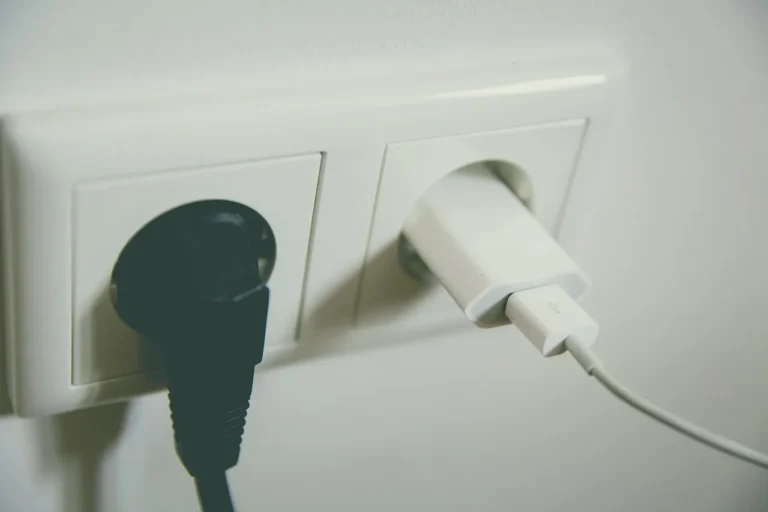
A smart plug is a Wi‑Fi or Bluetooth outlet adapter that lets you switch one device on or off, set schedules, and often track energy use.

Video doorbells pay off for many homes, but only if you need porch footage, delivery alerts, or visitor screening and can power one properly.
Smart lights pay off only when you use app control, schedules, dimming scenes, or voice control often enough to justify the extra cost.

Smart plugs save energy only when they cut wasted runtime or control meaningful standby loads. This guide shows where they pay, where they do not, and how to estimate savings.
A video doorbell combines a camera, microphone, speaker, motion sensor, and app link to detect visitors, send alerts, stream video, and let you talk back.

A single smart-light room usually costs $25 to $250, while a whole-home rollout can run past $2,000. This guide breaks down bulb, switch, hub, and install costs.

Smart plugs can overheat with space heaters and some AC units if the continuous load or startup surge exceeds the plug’s rating. This guide explains the limits and when to skip one.

Video doorbells are generally safe if you control recording, storage, and access. The main risk is privacy exposure, not physical danger.