What Are Smart Lights and How Do They Work?
Smart lights are ordinary bulbs, switches, or fixtures with wireless control, so you can dim them, set schedules, or run automations from an app, voice assistant, or sensor. Pick the wrong hardware and you can lose wall-switch control, pay for features you will never use, or buy lights that do not fit the room. This guide explains how smart lights work, the main connection types, and which bulb, switch, hub, or lighting system fits each use case.
What do smart lights do?
Smart lights let you control brightness, color, timing, and power state without relying only on the wall switch. The practical difference is control: a lamp, ceiling fixture, strip, or switch can respond to an app, a voice assistant, a schedule, or a motion rule instead of a plain manual toggle.
That matters because the right product depends on the room. A table lamp usually points to a smart bulb, while a hardwired ceiling fixture usually points to a smart switch. A cabinet strip or accent light usually needs a different form factor again.
What you can change
Most smart lighting systems handle the same core actions: dim, brighten, turn on, turn off, and sometimes change color. Wirecutter notes that smart lighting can be controlled remotely or with schedules and routines, which is the main draw for homeowners and renters who want timed control without rewiring every room.
LED smart lighting also usually uses less energy than incandescent lighting and lasts far longer. ENERGY STAR says LED bulbs can last up to 25 times longer than incandescent bulbs, and manufacturer-rated lifespans commonly range from about 15,000 to 25,000 hours for many LED products. Claims above that range should be checked against the specific bulb’s package or spec sheet before you buy.
How do smart lights work?
Smart lights work as a control system with three parts: the light source, the connection method, and the control layer. The light source is the bulb or built-in LED. The connection method is Wi-Fi, Bluetooth, Zigbee, or Z-Wave. The control layer is the app, switch, hub, voice assistant, or automation rule that tells the light what to do.
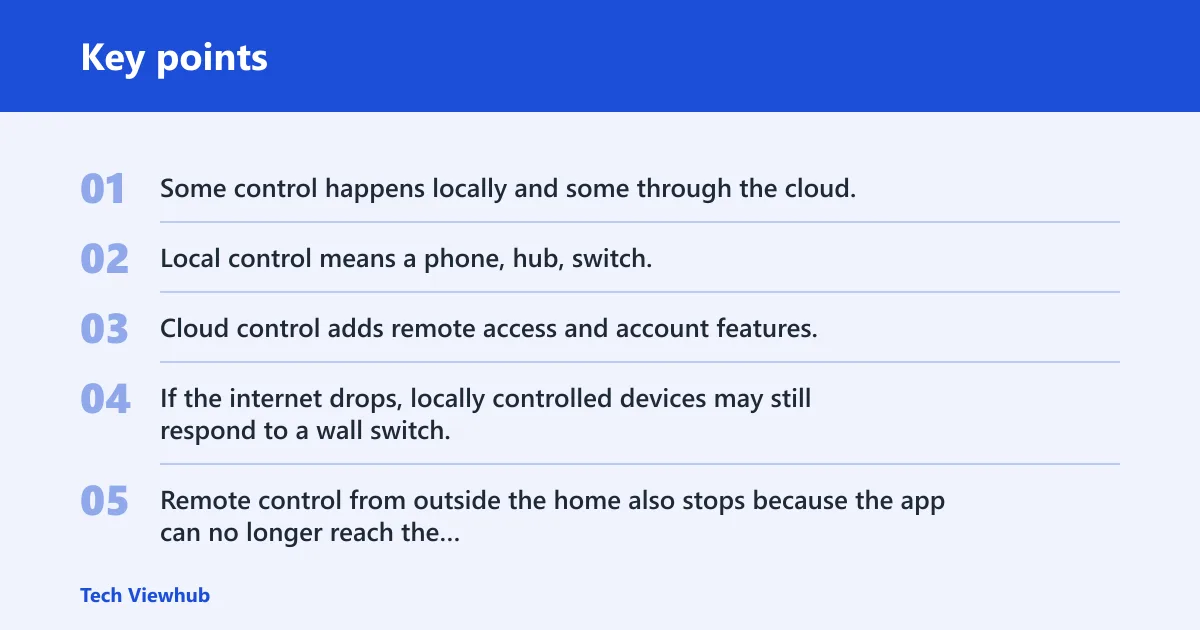
Some control happens locally and some through the cloud. Local control means a phone, hub, switch, or sensor on the same home network can trigger the light without reaching the internet. Cloud control adds remote access and account features, but it also means some functions may stop if the internet or vendor service is down.
What happens when the internet goes down
If the internet drops, locally controlled devices may still respond to a wall switch, a hub, a local automation, or a direct phone connection. Cloud-only features usually stop. Remote control from outside the home also stops because the app can no longer reach the vendor service.
That difference is why local-vs-cloud design matters. Many hub-based systems keep basic light control and scenes running inside the home even when the wider internet is unavailable, while cloud-reliant features such as remote access or vendor-hosted automations can fail with the service. In practice, a local network can keep working while cloud features do not.
Say your hallway uses two ceiling fixtures on a schedule and motion rule. If the broadband modem fails at night, the motion rule may still work if it runs locally through a hub or switch, but remote app control from the road will not.
Why constant power matters
Smart bulbs need constant power when the wall switch is on. If the wall switch is turned off, the bulb loses power and usually stops behaving like a smart device. That is the most common failure mode in ceiling fixtures with smart bulbs.
Some smart bulbs consume a small amount of standby power even when they are “off,” because the radio and control electronics must stay ready for commands. That standby draw is usually low, but it is still present, so smart bulbs should be chosen for control convenience first, not for dramatic energy savings alone.
Smart bulb basics
A smart bulb is an LED-based bulb that fits into an existing lamp or fixture and responds to app, voice, or automation control. Smart bulbs can use Wi-Fi, Bluetooth, Zigbee, or Z-Wave. They are a good fit when you want to keep the existing lamp or fixture and add color, dimming, or scheduling without changing wiring.
The same source notes that smart bulbs need an existing lamp or fixture. That makes them simple for renters and for lamps that stay powered from a plug. They are less reliable in rooms where someone may switch the wall off out of habit.
Where smart bulbs fit best
Smart bulbs usually work best in table lamps, floor lamps, plug-in sconces, and fixtures where the switch stays on. They are also useful when you want one bulb at a time to change color or brightness independently.
They are a weaker choice for whole-room ceiling lighting if the room has a normal wall switch everyone uses. In that case, a smart switch often gives better control because it keeps the fixture available to everyone, even guests.
The wall-switch rule
If power to a smart bulb is cut at the wall, the bulb cannot listen for commands. That means no app control, no voice response, and no scheduled change until power returns. This is the key rule to check before buying smart bulbs for ceiling fixtures.
- Check whether the light is on a lamp plug or a wall switch.
- Decide whether that switch will stay on all the time.
- Choose a bulb only if constant power is realistic.
- Use a smart switch if the wall switch must remain the main control point.
A common first-timer mistake is putting a smart bulb in a kitchen ceiling fixture and leaving the old wall switch as the daily control. The bulb works on day one, then stops being smart every time someone turns the room off from the wall.
Smart switch basics
A smart light switch replaces a wall switch and generally controls hardwired ceiling fixtures through the home’s existing wiring. In-wall smart switches and dimmers use existing wiring, which makes them a strong fit for overhead lights, hallways, entryways, and rooms where whole-room control matters more than bulb-by-bulb color changes.
Smart switches often need more installation skill than smart bulbs. Some require a neutral wire in the box; others do not. Many also need a compatible load type, especially if the fixture is dimmable. Older boxes, switch loops, and three-way setups can make installation more complicated.
When a smart switch needs a neutral wire
Many smart switches use the neutral wire to power their internal electronics. If the box does not have one, some models will not work at all, while others are designed for no-neutral installations. Always check the product spec before buying, because “fits any switch” is rarely true in older homes.
What 3-way compatibility means
A 3-way-compatible switch can control the same light from two locations, such as a hallway or stairwell. That matters when the existing fixture is already wired for multi-location control. Without 3-way compatibility, the new switch may not preserve the second control point.
When a smart dimmer should not be used
Do not use a smart dimmer on a light that is not dimmable, on fixtures that require full power only, or on loads the dimmer is not rated for. That includes many ceiling fans, some fluorescent fixtures, and some LED fixtures that flicker or buzz with the wrong dimmer. If the light just needs on/off control, a smart switch is often the safer choice.
Why switches are often better for shared ceiling fixtures
A smart switch keeps the familiar wall control in place. That is useful for families, guests, and any room where you do not want to explain app control every time. One switch can manage multiple ceiling fixtures at once, which is especially helpful for shared spaces like kitchens, hallways, and living rooms.
For a dining room, living room, or hallway, that usually beats replacing several bulbs one by one. It also avoids the main smart bulb problem: someone turning off power at the wall and breaking automation.
Smart lighting connection types
Smart lighting can connect over Wi-Fi, Bluetooth, Zigbee, or a hub-based setup. Each option changes how control works, how much traffic goes through the router, and how well the system scales. Matter support may help some bulbs work with Alexa, Siri, and Google Home, but it does not remove every compatibility issue.
Wi-Fi
Wi-Fi is the most familiar direct connection method. It supports app control and remote access, and many entry-level products use it because no extra hub is required. The tradeoff is that too many Wi-Fi bulbs can crowd a home network, especially in a large house with lots of devices. For homes adding dozens of devices, network load and mesh coverage for many smart lights can matter as much as the bulbs themselves.
Bluetooth
Bluetooth is a short-range option that often works well for simple setups. It may not need a hub, and it often uses phone-based control. The downside is range and convenience: Bluetooth is usually better for a single room or a small group of lights than for whole-home control.
Zigbee and hub-based systems
Zigbee is a mesh-style protocol used by Philips Hue and other ecosystems. A mesh means each powered device can help relay signals, which can improve reach and reliability in larger homes. That is one reason Zigbee systems are often used when a house has many lights or rooms spread far apart.
A smart hub or bridge acts as a central controller for multiple devices. It reduces Wi-Fi congestion by offloading device connections, and it can add broader automation and integration. That is one reason some systems use a bridge even when the bulbs are already connected inside the home.
| Scenario | Best smart-light type | Connectivity | Hub needed? | Wall switch must stay on? | Install difficulty | Renter/owner fit | Most likely failure point |
|---|---|---|---|---|---|---|---|
| Table lamp in a bedroom | Smart bulb | Bluetooth or Wi-Fi | No, often optional | Yes | Low | Strong renter fit | Someone cuts power at the lamp switch |
| Living room ceiling lights | Smart switch | Existing wiring with app control | Usually no | No, because the switch is the control | Medium | Best for owners | Incorrect wiring or incompatible switch box |
| Rental apartment with plug-in lamps | Smart bulb | Wi-Fi or Bluetooth | No, often optional | Yes | Low | Strong renter fit | Landlord limits fixture changes |
| Hallway with one switch for multiple fixtures | Smart switch | Wired control | Usually no | No | Medium | Best for owners | Three-way compatibility issue |
| Large home with many rooms | Zigbee bulbs with bridge | Zigbee | Yes | Yes | Medium | Best for owners | Bridge not paired or too far from devices |
| Outdoor porch light | Smart fixture or weather-rated bulb | Wi-Fi or hub-based system | Maybe | No if switch controls it | Medium | Best for owners | Weather rating mismatch |
| Kids’ room color scenes | Smart bulb | Wi-Fi, Zigbee, or Bluetooth | Maybe | Yes | Low | Strong renter fit | Power cut at the wall switch |
| Kitchen under-cabinet strip | Smart strip | Wi-Fi or hub-based system | Maybe | Depends on wiring | Medium | Mixed fit | Controller hidden where signal is weak |
| Entry light with motion automation | Smart switch | Wired control plus sensor automation | Maybe | No | Medium | Best for owners | Motion sensor placement is poor |
| Mixed-brand home with Alexa and Google | Matter-capable bulbs or switches | Wi-Fi, Zigbee, or hub | Depends on ecosystem | Depends on form factor | Medium | Mixed fit | Platform mismatch between brands and assistants |
Smart light control options
Smart lights can be controlled by Alexa, Google Assistant, or Siri, plus app control, schedules, timers, and automations. Voice control is useful for hands-free changes. Routines are useful when the same action should happen every day without another tap.
Motion-triggered scenes and away mode are especially useful for security and convenience. A motion rule can turn on a hallway light at night. Away mode can make a home look occupied while no one is there.
How to connect smart lights
Start by matching the control method to the room. Choose a bulb for a lamp, a switch for a hardwired ceiling fixture, or a hub-based system if you want more devices with less Wi-Fi traffic. Then connect the product through the app, pair it to the assistant if needed, and assign schedules or scenes.
Some ecosystems also combine app control with physical controls. For example, IKEA says its smart lighting can be controlled with remote control and the IKEA Home smart app, which shows that some systems include both app and physical control from the start.
Smart lighting scenario guide
The right smart-light type depends more on the fixture than on the brand. A bulb solves a different problem from a switch. A hub solves a different problem from a voice assistant. Use the matrix below to match the room to the hardware before you buy.
Decision matrix for common home setups
| Home scenario | Best fit | Required connectivity | Hub needed? | Switch behavior | Install difficulty | Renter/owner fit | Most likely failure point |
|---|---|---|---|---|---|---|---|
| Bedroom bedside lamp | Smart bulb | Bluetooth or Wi-Fi | No, usually | Keep lamp powered on | Low | Strong renter fit | Lamp switch turned off |
| Living room ceiling light | Smart switch | Existing wiring | No, usually | Switch replaces the old one | Medium | Best for owners | Wiring mismatch |
| Rental with no rewiring allowed | Smart bulb | Wi-Fi or Bluetooth | No, often | Wall switch must stay on | Low | Strong renter fit | Someone flips the wall switch |
| Long hallway with multiple fixtures | Smart switch | Wired control | Maybe | Acts as main control point | Medium | Best for owners | Three-way compatibility issue |
| Large home with many smart bulbs | Zigbee bulbs with bridge | Zigbee | Yes | Stay on | Medium | Best for owners | Bridge placement or pairing error |
| Outdoor porch light | Weather-rated fixture or bulb | Wi-Fi or hub | Maybe | Depends on fixture | Medium | Best for owners | Wrong weather rating |
| Kitchen under-cabinet accent | Smart strip | Wi-Fi or hub | Maybe | Depends on controller | Medium | Mixed fit | Controller hidden from signal |
| Hallway motion lighting | Smart switch with automation | Wi-Fi or hub plus sensor | Maybe | Main wall control remains active | Medium | Best for owners | Motion sensor aimed poorly |
| Mixed Apple, Google, and Amazon home | Matter-capable device | Wi-Fi or Zigbee, depending on model | Maybe | Depends on product | Medium | Mixed fit | Platform support mismatch |
| Whole-room control for a family room | Smart switch | Existing wiring | Usually no | Best when wall control stays simple | Medium | Best for owners | Trying to solve ceiling lighting with bulbs only |
Frequently asked questions
How does smart lighting work?
Smart lighting works by pairing a light source with a connection method such as Wi-Fi, Bluetooth, Zigbee, or Z-Wave, then using an app, hub, or assistant as the control layer. Some actions happen locally inside the home. Others need the cloud for remote access and account features.
How do smart light bulbs work?
Smart light bulbs are LED bulbs with built-in wireless control. They fit into an existing lamp or fixture and respond to commands from an app, a voice assistant, or an automation rule. They need constant power, so the wall switch or lamp switch must stay on.
How do smart light switches work?
Smart light switches replace a wall switch and control hardwired ceiling fixtures through the home’s existing wiring. They are often the better choice for whole-room control because everyone can use the wall switch normally. Installation can be simple or may call for electrician help.
Do smart lights use power when off?
Yes. Smart bulbs still draw some power when turned off so they can stay ready for commands, schedules, and automations. The draw is small, but it is real. That is one reason LED smart lighting is about convenience and control first, not standby savings alone.
Sources
- ENERGY STAR LED Light Bulbs
- U.S. Department of Energy: LED Lighting
- Consumer Reports: How Long Do LED Light Bulbs Last?
- Philips Hue: How it works
- Wirecutter: Best smart light bulbs
- Wirecutter: Best smart light switch and dimmer
- IKEA: Smart lighting support