Video Doorbells: How to Choose the Right One
Choose a video doorbell with four filters: power source, storage cost, smart-home compatibility, and privacy settings; in many homes, working wired power plus local storage or a low-cost cloud plan makes more sense than signing up for a cloud fee of about $3 to $10 per month. The wrong pick can leave you with blind spots, missed events, extra charges, or a doorbell that does not work with your chime or phone platform. This guide matches doorbell types to wiring, install limits, privacy preferences, and total cost so you can narrow the right class quickly.
Start with the house, then the brand. Existing doorbell wiring, transformer health, porch depth, side-wall mounting, apartment rules, and Wi-Fi strength at the door matter more than a headline spec like 2K or 4K.
That is why Ring, Nest, Blink, Eufy, Arlo, Lorex, Reolink, Remo+, and similar brands only make sense after the setup is clear. A doorbell that fits the porch and storage plan usually works out better than a higher-spec model that needs a subscription, a hub, or stronger signal than the entry can provide.
Start with your front-door constraints

Check wiring, transformer output, and chime compatibility
If the home already has a working hardwired chime, a wired video doorbell usually makes the most sense. Continuous power supports longer live-view sessions, faster wake-up, and fewer recharge concerns. It also lowers the odds that heavy daily traffic will drain the device.
Older homes can make this less simple. Existing doorbell wiring may still be there but be underpowered, unstable, or disconnected behind the chime. A doorbell may also need a chime kit or adapter to work with a mechanical or digital chime. If the model is wired-only, checking those details before you buy matters more than comparing camera specs.
Measure porch depth, approach angle, and package-drop area
A camera aimed straight out from the wall sees a different scene than one mounted on a narrow trim piece beside the door. Porch depth affects face detail. Approach angle changes whether a visitor appears head-on or from the side. Package-drop location decides whether vertical coverage matters more than a very wide horizontal view.
Doorbells with very wide lenses can catch side approaches, but they can also spread pixels across empty yard or street. That reduces useful detail. For package visibility, vertical framing or a package-focused lens often matters more than a wider advertised field of view.
Factor in renter rules, apartment hardware limits, and drilling restrictions
Renters and apartment owners often need a battery-powered unit, adhesive mount, no-drill bracket, or peephole alternative because replacing shared hardware may not be allowed. In many buildings, the hall is common property, so privacy rules can limit what the camera should cover and how audio recording is handled.
Shared walls also raise theft risk. Local storage inside a removable doorbell is less appealing if the whole unit can be taken. In that case, a hub or cloud recording can be safer than a microSD card inside the camera itself.
Audit Wi-Fi strength at the door before comparing cameras
Weak signal at the porch can cause more real-world trouble than modest resolution. Delayed notifications, failed live view, slow app pairing, and missing clips often trace back to weak 2.4 GHz coverage through brick, metal, or insulated exterior walls.
If the front door is far from the router, plan for a mesh node, a closer access point, or a brand-specific chime repeater before paying extra for higher resolution. Some buyers move to a sharper camera and still get worse results because the signal path never improved.
Should you buy wired or battery?
Choose wired if the home has working doorbell wiring, steady power, and frequent daily activity; choose battery if wiring is missing, dead, restricted, or too expensive to repair. Wired models suit continuous recording features and fewer interruptions, while battery models trade flexible placement for recharge cycles and possible feature limits.
What continuous power changes
Wired units are better suited to long live-view sessions, quicker event capture, and features such as pre-roll on some platforms. They also remove the need to take the device down for charging or keep spare battery packs ready.
That does not mean every wired model is better. It means the power budget is less constrained. If the porch gets frequent motion from a sidewalk, road, or shared entry, continuous power is often the safer pick.
When rechargeable battery models make sense
Battery-powered models work well when the mounting point is awkward, the wiring is dead, or the property is rented. They also help when the best angle is away from the original button location and running wire would mean visible cable or wall repair.
Tom’s Guide names the Ring Battery Doorbell Pro its best battery-powered choice, while Tom’s Guide names Blink Battery Doorbell 2K+ as its best budget pick. CNET says Blink battery life can last more than a year without replacement, but battery life still depends on weather, motion volume, and live-view use.
Cold weather, traffic volume, and red flags
Cold weather can cut usable battery runtime. Frequent AI detection, long live-view sessions, and constant street movement also increase drain. If the door faces a busy sidewalk, a battery model can become a nuisance quickly.
Red flags against wired include dead transformer output, a chime system the chosen model does not support, or a building that does not allow electrical changes. Red flags against battery include high traffic, poor charging access, and a front step where missing even a few hours of coverage matters.
Can you install one if your old wiring is dead?
Yes, dead wiring does not stop a video doorbell purchase, but it does narrow the sensible options. Battery models, plug-in adapters for some units, or full rewiring are the usual paths. The right answer depends on whether you need continuous power, existing chime support, and a clean DIY installation.
Battery and plug-in paths
If the old button wires no longer deliver power, a battery-powered model is the simplest route. Some brands also sell plug-in power adapters that feed a compatible wired doorbell from an indoor outlet, though cable routing may look less tidy.
CNET identifies the Reolink video doorbell Wi-Fi with chime as a wired model with 2K resolution and 180-degree field of view. That kind of device can make sense if the wiring can be restored and package coverage is a top priority.
When fixing wiring is worth it
Restoring power is worth considering when the door sees heavy traffic, when long live-view sessions matter, or when battery charging would be awkward. Wired-only models can also be appealing if they offer better storage choices or stronger smart-display integration.
Tom’s Guide lists the Nest Doorbell (wired, 3rd gen) as its best overall pick. The same source says the Ring Video Doorbell is one of the most affordable replacements if you have existing wiring. Those examples show why working wiring still matters even if battery models dominate shelf space.
What DIY should and should not attempt
A basic DIY install can usually handle swapping the button, attaching a wedge mount, fitting a chime adapter, and pairing the app. It should not guess at transformer issues, hidden wire breaks, or incompatible chime circuits if the instructions are unclear.
Picture a narrow row-house entry where the original button sits on a side jamb that points away from the walkway. A wedge mount may fix the angle. Replacing the camera without fixing the angle often gives you a clean image of brick and a poor image of faces.
How much video quality do you actually need?
For many porches, 1080p is enough at close range, 2K is a useful step up for face and package detail, and 4K is usually a lower priority unless lighting, dynamic range, and compression are already strong. The real target is readable events, not the biggest number on the box.
1080p, 2K, and 4K in real use
At a short porch distance with a front-on view, 1080p can be enough to identify a visitor and check whether a package arrived. Move the camera farther from the porch edge, mount it off to the side, or rely on digital zoom, and 2K becomes more useful.
4K can help, but only if the sensor, lens, and bitrate hold up. The same source says Ring Wired Video Doorbell Pro (3rd gen) has 4K capture. That sounds attractive, yet a lower-resolution camera with stronger low-light handling and less aggressive compression may still produce the more useful clip.
Low-light performance changes the equation
After dark, clean exposure and controlled glare often matter more than daytime sharpness. Infrared night vision can identify movement and faces, but it may wash out nearby reflective surfaces. Color night vision can preserve clothing and package detail, though it usually benefits from some porch lighting.
ZDNET says the Eufy Security E340 has 2K resolution and color night vision. That combination means more for a dim entry than a simple resolution bump with weaker night handling.
Minimum video thresholds by setup
If the lens will be close to visitors and the porch light is decent, 1080p is a fair baseline. If the camera sits several feet back or must cover a package zone low on the step, start at 2K. If a buyer is paying extra for 4K first, it should be because the rest of the setup is already sound.
Suppose the camera sits about 8 feet from the package-drop spot and the light over the door is weak. In that case, 2K plus better low-light performance is a smarter target than 4K on a camera with weak night exposure.
What field of view and night vision cover your porch?
The right field of view depends on where people approach and where packages land. Wide horizontal coverage helps on side approaches, but vertical coverage is often more useful for doorstep monitoring. After dark, color night vision helps when porch lighting supports it, otherwise strong infrared is the safer baseline.
Vertical versus horizontal coverage
Many buyers focus on side-to-side angle and miss the bottom of the frame. That is where package visibility is won or lost. A narrow view can miss boxes placed right below the lens, while an ultra-wide view can shrink faces enough to waste detail.
The same source describes the Eufy Security E340 as having a 120-degree field of view. The same source says the Reolink wired model above reaches 180-degree field of view. Those figures matter only in context: the wider one may catch more of the step, but a very wide lens can also stretch edges and reduce detail where faces matter.
Infrared versus color night vision
Infrared works without visible light and is dependable for basic after-dark monitoring. Color night vision is more informative when the porch has enough ambient light to support it. If the entry is fully dark, marketing claims around color mode deserve skepticism.
A common first-timer mistake is paying for a color night mode on a door that sits under a deep awning with no nearby light. In that setup, cleaner infrared and better motion tuning can beat a noisier color image.
Use mounts to fix blind spots
Wedge mounts and corner kits can correct a doorbell aimed too far at a wall, railing, or street. They are often a better investment than moving up one resolution tier. If the front step sits low and close, an angle-correction mount can be the difference between seeing a visitor’s face and seeing only the top of a head.
Which smart alerts are worth paying for?
Person detection and motion zones matter most, package detection matters if deliveries sit in view, and vehicle or animal alerts only help when they fit the property. Paying for more AI labels is rarely worthwhile if the doorbell cannot first limit false alerts from traffic, trees, or shared hallways.
Prioritize false-alert control
Good motion zones stop the camera from reacting to every passing car or hallway movement. That improves battery life, clip quality, and notification trust. A doorbell that sends fewer, better alerts is usually the better security tool.
Feature labels vary by brand
Person detection is now common. Package detection is useful for houses with open steps or porches. Vehicle detection matters more near a driveway than at a city stoop. Animal detection can be useful, but it ranks below reliable person alerts.
Some brands include basic person alerts without a fee but place package alerts, longer event history, or richer AI summaries behind a plan. The same source says the Ring Battery Doorbell Plus is a subscription-based service model, so buyers expecting a full experience should verify which alerts and recording functions stay available without monthly payment.
Paid AI versus free basics
If the main goal is knowing that a person reached the door, free person detection may be enough. If the goal is package-specific alerts, long cloud history, or searchable events, monthly fees become more likely. Check those requirements before comparing brands by app screenshots alone.
How will footage be stored, and what will it cost?

Storage determines both privacy and long-term cost. Cloud plans are convenient for remote review and off-device backup, but they add recurring fees. Local recording avoids monthly charges, yet it may require a hub, a microSD card, or acceptance of theft risk if footage stays in the doorbell itself.
Cloud, local, and hardware tradeoffs
Cloud storage usually gives you the easiest off-site backup and sharing. The tradeoff is recurring cost and, on some brands, core event history sitting behind a paywall. Local storage can mean a microSD card in the unit, a base station inside the home, or network-attached options on select systems.
The same source says the Eufy Security E340 can use a microSD card up to 128GB or HomeBase 3 for local storage. That is a useful example of how subscription-free recording can still depend on hardware choice. A microSD-only setup may be cheaper up front, while a hub can reduce theft exposure because the recordings sit indoors.
The real ownership cost over time
Monthly fees add up faster than many buyers expect. At the lower end of the common $3 to $10 monthly range, the service can still become a meaningful multi-year expense. Add extra batteries, a chime, a sync module, or a hub, and the cheapest-looking option may stop looking cheap.
The same source says Blink Video Doorbell 2K Plus offers 2K resolution and a Sync Module hub at no extra cost. CNET also says the TP-Link Kasa smart video doorbell KD110 starts at $40. Those figures show why comparisons should include bundled accessories, not just the shelf price of the button itself.
Tom’s Guide names Eufy Video Doorbell Dual as its best subscription-free option, and ZDNET says the Lorex 2K Battery Video Doorbell is one of the best subscription-free options and includes a microSD card. Subscription-free can save money, but only if the setup still provides the history, remote access, and theft protection the household expects.
Privacy tolerance matters
Local storage feels more private to many buyers, but it is not automatically safer. A stolen doorbell can take the card with it. Hub-based storage helps, yet it can add cost and ecosystem lock-in. Cloud storage can be easier to access remotely, but it asks the buyer to accept off-site data handling and recurring fees.
Will it work with alexa, Google Home, or Apple Home?
Pick the ecosystem before the brand if live view on smart displays, voice assistant use, and app automation matter. Alexa, Google Home, and Apple Home support are not interchangeable. Many doorbells offer partial compatibility, which can mean basic live view works while richer automations, history, or notifications do not.
What full compatibility looks like
For Alexa users, the usual priorities are Echo smart-display live view, announcement support, and app reliability. Google Home buyers should care about Nest Hub viewing, event handling in the Google Home app, and whether setup feels native or patched together. Apple Home users should verify Apple Home or HomeKit support first, not after purchase.
Where lock-in appears
Lock-in can come from a brand’s app, required hub, doorbell chime, or paid recording service. A model can technically work with a platform while still keeping the most useful features inside its own ecosystem. That creates friction if the home mixes assistants.
If the house already revolves around Google Home, Tom’s Guide listing the Nest Doorbell (wired, 3rd gen) as its best overall pick is relevant because Google integration is usually the cleanest in Google’s own ecosystem. Apple-focused buyers should be stricter because fewer doorbells give full Apple Home support than Alexa or Google support.
Mixed-platform homes
If the family uses both Alexa and Google displays, choose the app and storage model first, then accept whichever voice integration is strongest. Chasing equal support everywhere often leads to compromise. Better to have one strong control center than three weak ones.
Doorbell decision table
| Buyer scenario | Feature priorities | Red flags | Minimum spec threshold |
|---|---|---|---|
| Wired home | Continuous power, existing chime support, strong motion zones, low-cost cloud or local recording | Transformer mismatch, chime incompatibility, paying extra for battery convenience you do not need | Working existing doorbell wiring, 1080p minimum, person detection, night vision, app support for your phone ecosystem |
| Dead wiring | Rechargeable battery or plug-in path, easy installation, removable battery if charging access is awkward | Wired-only models, unclear adapter support, poor cold-weather battery performance | Battery-powered model, 1080p minimum, motion zones, reliable app pairing, clear charging method |
| Renter | No-drill mount, battery power, easy removal, cloud or indoor hub storage if theft risk is high | Permanent drilling, landlord restrictions, microSD-only footage stored in a removable unit | Wireless install, 1080p minimum, person detection, compact mount options, clear recharging routine |
| Apple Home user | Verified Apple Home or HomeKit support, secure app integration, fast live view on Apple devices | Assumed compatibility, Alexa-first or Google-first features, paid functions outside Apple workflows | Native Apple support, 1080p minimum, dependable notifications, night vision, no required platform switch |
| Google Home user | Strong Google Home app support, Nest Hub viewing, fast notifications, clean account integration | Partial support that only offers basic live view, clumsy multi-app setup, missing event history in Google tools | Native Google Home support, 1080p minimum, person detection, night vision, stable Wi-Fi at the door |
| No-subscription buyer | Local storage, microSD card or indoor hub, free AI alerts where possible, no forced cloud plan | Core recording behind paywall, short free history limits, theft-prone on-device storage only | Local recording support, person detection, 1080p minimum, clear remote-access limits before purchase |
| Apartment | Narrow motion zones, privacy-conscious placement, battery setup, hallway-appropriate alerts | Wide view into neighbors’ doors, constant false alerts, building rules against recording common areas | 1080p minimum, strong motion-zone control, person detection, compact mount, quiet or configurable chime behavior |
| Weak Wi-Fi | Stable 2.4 GHz or dual-band support, fast reconnect behavior, optional chime repeater or nearby mesh node | Buying 4K before fixing signal, delayed notifications, failed live view, repeated offline events | Reliable signal at the door, 1080p or 2K only after signal check, person detection, efficient compression |
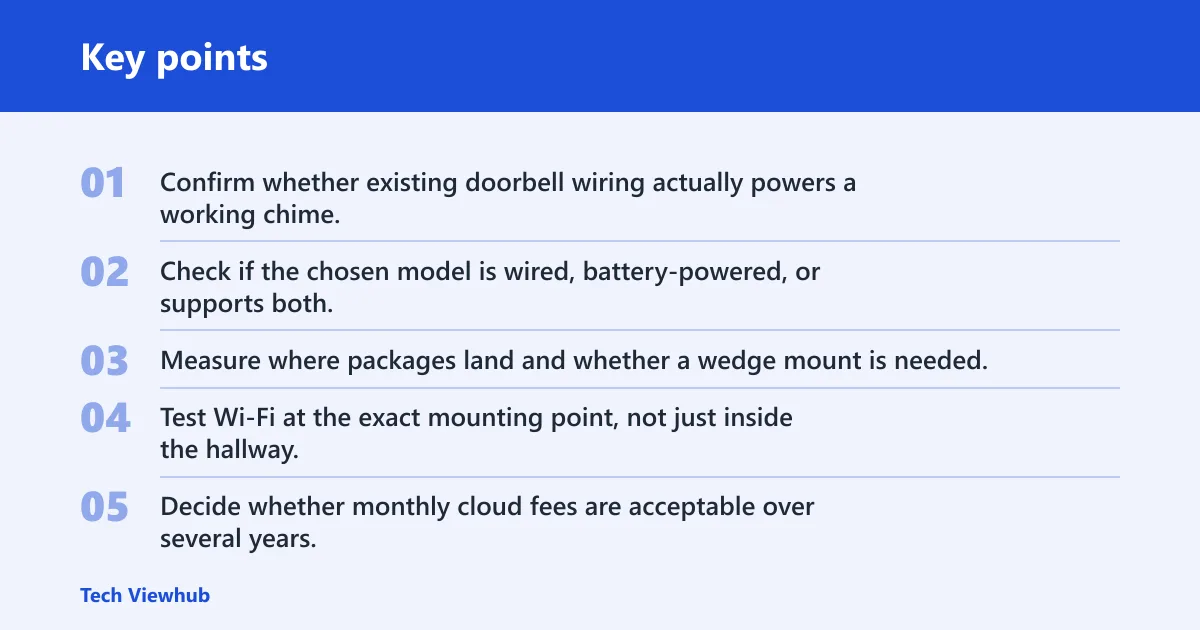
Simple buyer checklist
- Confirm whether existing doorbell wiring actually powers a working chime.
- Check if the chosen model is wired, battery-powered, or supports both.
- Measure where packages land and whether a wedge mount is needed.
- Test Wi-Fi at the exact mounting point, not just inside the hallway.
- Decide whether monthly cloud fees are acceptable over several years.
- Verify Alexa, Google Home, or Apple Home support before buying.
- Look for person detection and motion zones before chasing higher resolution.
- Choose local storage, cloud storage, or hub-based recording based on privacy tolerance and theft risk.
Why privacy settings matter more than the hardware itself
Video doorbells are usually safe to use at home, but the real issue is privacy, not physical risk. The supporting guide explains what these devices can record, how audio capture works, and why settings like motion zones, clip retention, and account access matter more than the brand name. It also covers where the camera points and how that affects neighbors, visitors, and shared entryways.
If you want the practical version, video doorbell safety shows which setup choices reduce exposure, when local storage is safer than cloud storage, and what to check before you install one. That makes it easier to choose a model that protects your front door without creating unnecessary surveillance or access risks.
Frequently asked questions
Which video doorbell should I buy?
Buy the class that fits your constraints: wired if existing power works and traffic is heavy, battery if wiring is dead or drilling is limited, and local-storage models if monthly fees are a deal-breaker. After that, put motion zones, person alerts, and ecosystem fit ahead of brand prestige.
What’s the best video doorbell for my home
The best option for your home is the one that matches wiring, porch angle, Wi-Fi strength, storage preference, and smart-home platform. A narrow apartment hall, a deep suburban porch, and a rental with dead wiring need different doorbells even if the price range is the same.
Do I need a subscription for a video doorbell?
No, but skipping a subscription changes what you get. Some brands keep full event history, package alerts, or richer AI functions behind monthly payment, while others support local recording by microSD card or an indoor hub. Check storage and alert limits before treating subscription-free as fully equivalent.
Should I buy wired or battery video doorbell?
Choose wired if the home already has working doorbell power, frequent motion, and a need for longer live view or fewer interruptions. Choose battery if the wiring is dead, you rent, or the best camera position is away from the original button. Traffic and charging access should decide it.
Can I install a video doorbell if my wiring doesn’t work?
Yes. The usual answer is a battery-powered model, though some setups can use a plug-in adapter or benefit from repairing the original wiring. Dead wiring mainly rules out wired-only doorbells unless you are prepared to restore power and sort out chime compatibility.
What features matter most in a video doorbell
Start with power type, storage model, person detection, motion zones, night vision quality, and smart-home compatibility. Resolution matters, but only after the basics are right. A 1080p or 2K doorbell with clean alerts, good Wi-Fi, and the right field of view is usually the better buy.